 All Threads
 General
 Television
 Blu-rays/DVDs/Films
 Hardware
 PCs & Mobiles
 Photography
 Music
Music Gaming & Consoles
 Sports
 Bargain Buckets
 Region Hacks
 Trading
 Retailer Reviews


Multi-region hack for Philips LX3000D
This hack page was originally hosted on DVD Reviewer, it was automatically imported by a not-very-clever script and may contain formatting errors and inaccuracies, sorry!
How to convert your Philips LX3000D player into a multi-region compatible machine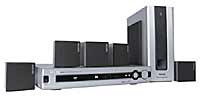
NB: This hack also works on the Philips MX3600, Philips LX3000D, Philips LX3500, Philips LX7000 and Philips LX8000 models
To convert this player for multi-region playback a maximum of 25 times
1. Press the Play button on the player
2. Press the 1 button on the remote control
3. Press the 5 button on the remote control
4. Press the 9 button on the remote control
5. The onscreen display should show spaces like this: '-----------'
6. Using your remote control, enter the code 111 for region 1, or 221 for region 2
7. Next using your remote control, for the LX3000D/LX3500 models enter the code 001, for the MX3600/MX3800D models enter the code 002, or if your using the LX7000/LX8000 models enter the code 003
NB: If your LX8000 model loses multi-channel playback, try the alternative code of 008 instead
8. Using your remote control, enter the code 08
9. You should now have entered a code in the format XXX-YYY-08 which should be indicated on the onscreen display
10. Press the Play button on the remote control
To reset the region change counter on this unit to enable another 25 maximum changes
1. Press the Play button on the player
2. Press the 1 button on the remote control
3. Press the 5 button on the remote control
4. Press the 9 button on the remote control
5. Press the Play button on the remote control
Alternative hack for the LX3000D model
1. Press the Play button on the player
2. Press the 1 button on the remote control
3. Press the 5 button on the remote control
4. Press the 9 button on the remote control
5. Using your remote control, press the buttons 0, 2, 3, 7, 9, 3, 9 and 0, in order, one at a time
6. Press the Play button on the remote control