This hack page was originally hosted on DVD Reviewer, it was automatically imported by a not-very-clever script and may contain formatting errors and inaccuracies, sorry!
How to convert your Mustek DTV-407 player into a multi-region compatible machine
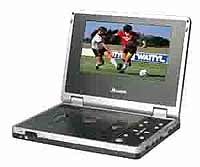
To convert this player to Multi-Region
1. Press the Setup button on your remote control
2. Press the Next button on your remote control
3. Press the Previous button on your remote control
4. Press the Next button on your remote control
5. Press the Previous button on your remote control
6. A code should appear on the onscreen display
7. Using the Left and Right direction buttons on your remote control, change the code to VER 1 for region 1 playback, VER 2 for region 2, and so on, or VER 255 for multi-region playback
NB: You may need to use the up and down buttons to select the region option before you change it
8. Press the Setup button on your remote control
9. Press the Setup button on your remote control
10. Press the Play button on your remote control
 All Threads
 General
 Television
 Blu-rays/DVDs/Films
 Hardware
 PCs & Mobiles
 Photography
 Music
Music Gaming & Consoles
 Sports
 Bargain Buckets
 Region Hacks
 Trading
 Retailer Reviews


