 All Threads
 General
 Television
 Blu-rays/DVDs/Films
 Hardware
 PCs & Mobiles
 Photography
 Music
Music Gaming & Consoles
 Sports
 Bargain Buckets
 Region Hacks
 Trading
 Retailer Reviews


Multi-region hack for Aiwa XR-DV370KN
This hack page was originally hosted on DVD Reviewer, it was automatically imported by a not-very-clever script and may contain formatting errors and inaccuracies, sorry!
How to convert your Aiwa XR-DV370KN player into a multi-region compatible machine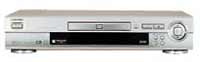
Note this hack also works on the LG DVD-3350e, LG DVD-3200E and Zenith DVD2381, also this hack may not work on models with older firmware
Special thanks to the Aiwa Owners Network and LG DVD-3350E Uncovered websites for these hacks
To convert this player to Multi-Region playback
1. Press the Pause button on your remote control
2. Using your remote control enter the code 3, 1, 4, 1, 5 and 9
Note: If your unit does not enter the following mode which enables you to enter a region code, repeat steps 1 and 2. You may need to enter these codes in a shorter time span for them to work.
3. Press the 0 button on your remote control for Region free, 1 for Region 1 or 2 for Region 2.
4. Press the Pause button on your remote control
5. Power off your player and wait a few seconds
6. Power on your player
To view the firmware version of this player
1. Press the Setup button on your remote control
2. Select TV Aspect and place the cursor on the 16:9 Wide option
3. Using your remote control enter the code 1, 3, 9, 7, 1, 3 and 9
4. Press the Enter button on your remote control
5. You should now see the version information screen
6. Pressing Setup button on your remote control exits this info screen