This hack page was originally hosted on DVD Reviewer, it was automatically imported by a not-very-clever script and may contain formatting errors and inaccuracies, sorry!
How to convert your Acoustic Solutions DVD451 Early Models player into a multi-region compatible machine
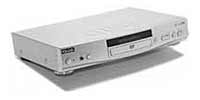
To convert this player to Multi-Region
1. Press the Setup button on your remote control
2. Press the Next button on your remote control
3. Press the Stop button on your remote control
4. Press the Pause/Step button on your remote control
5. Press the Prev button on your remote control
6. Press the Next button on your remote control
7. You should now be in a secret menu where you can change the region from 1 to 6, or All for region free
To convert this player to Multi-Region if the above does not work
1. Press the Setup button on your remote control
2. Press the Next button on your player
3. Press the Stop button on your player
4. Press the Pause/Step button on your player
5. Press the Prev button on your player
6. Press the Next button on your player
7. You should now be in a secret menu where you can change the region from 1 to 6, or Bypass for region free
 All Threads
 General
 Television
 Blu-rays/DVDs/Films
 Hardware
 PCs & Mobiles
 Photography
 Music
Music Gaming & Consoles
 Sports
 Bargain Buckets
 Region Hacks
 Trading
 Retailer Reviews


